Tired of seeing Reels you don’t care about?
This guide shows you how to change suggested Reels on Instagram, change your Reels content, and – when possible – turn off or drastically reduce suggested Reels on Instagram.
You’ll get quick fixes (Not Interested), the official Reset suggested content tool, and the newest “Your Algorithm” controls so you can tune what Reels Instagram recommends to you.
Outline
- Quick ways to change your suggested Reels
- 7 Methods to Change Suggested Reels on Instagram (Step-by-Step)
- Method 1 — Tap "Not Interested" (The Fastest Fix)
- Method 2 — Like and Engage With What You DO Want
- Method 3 — Change Sensitive Content Settings (Filter Whole Categories)
- Method 4 — Reset Suggested Content (Fresh Start)
- Method 5 — Use Your Algorithm Tool (Manual Control)
- Method 6 — Report or Block Accounts You Keep Seeing
- Method 7 — Business & Creator Tip: Match Your Engagement to Your Niche
- Quick Definitions: What Suggested Reels Are & Where They Come From
- What Are Suggested Reels on Instagram?
- How Instagram Chooses Suggested Reels — The Algorithm Explained (2026 Update)
- How These Features Fit Into Your Full Strategy
- Troubleshooting: Why Your Suggested Reels Aren’t Changing & How to Fix Them
- Issue 1 — “My suggested Reels on Instagram aren’t changing.”
- Issue 2 — “Why are my suggested Reels all girls / all fitness / all cars?”
- Issue 3 — “My suggested Reels are inappropriate or uncomfortable.”
- Issue 4 — “Reset didn’t work.”
- Issue 5 — “I keep seeing Reels from people I don’t follow.”
- Issue 6 — “I don’t want to see suggested Reels at all.”
- Issue 7 — “Why are suggested Reels coming back even after I hide them?”
- Fix:
- Issue 8 — Technical Glitches
- Pro Tip: Combine Methods for Maximum Impact
- Frequently Asked Questions About Suggested Reels on Instagram
- How do I change my suggested Reels on Instagram?
- How to change the Instagram Reels algorithm?
- How do I stop suggested Reels on Instagram?
- How do I turn off suggested Reels on Instagram completely?
- How do I clear suggested Reels on Instagram?
- Why are my suggested Reels on Instagram not changing?
- Why are my suggested Reels all girls / all cars / all fitness?
- How do I remove inappropriate suggested Reels?
- How do I get rid of suggested Reels on Instagram?
- How do I reset suggested Reels on Instagram?
- How does Instagram decide what Reels to suggest?
- What is “Your Algorithm” on Instagram?
- How do I change the type of Reels I see on Instagram?
- How do I change my Instagram Reels feed completely?
- Can I hide or delete suggested Reels on Instagram?
- How do I change my preferences in Instagram Reels?
- How do I fix my suggested Reels on Instagram?
- How do I edit suggested Reels on Instagram?
- How do suggested Reels work on Instagram?
- Why does Instagram keep suggesting content I don’t like?
Quick ways to change your suggested Reels
- Hide a bad Reel: Tap the three dots → Not interested in training the algorithm. (Use often.)
- Adjust sensitivity: Profile → Settings → Content Preferences → Sensitive Content Control to reduce unwanted material.
- Reset recommendations: Use Reset suggested content to clear current signals and start fresh.
- Edit topics: Use the new Your Algorithm dashboard (where available) to remove or add interesting topics so Instagram suggests better Reels.
- For creators/businesses: Engage with niche hashtags, encourage saves/shares, and follow competitors to change what Reels Instagram shows you.
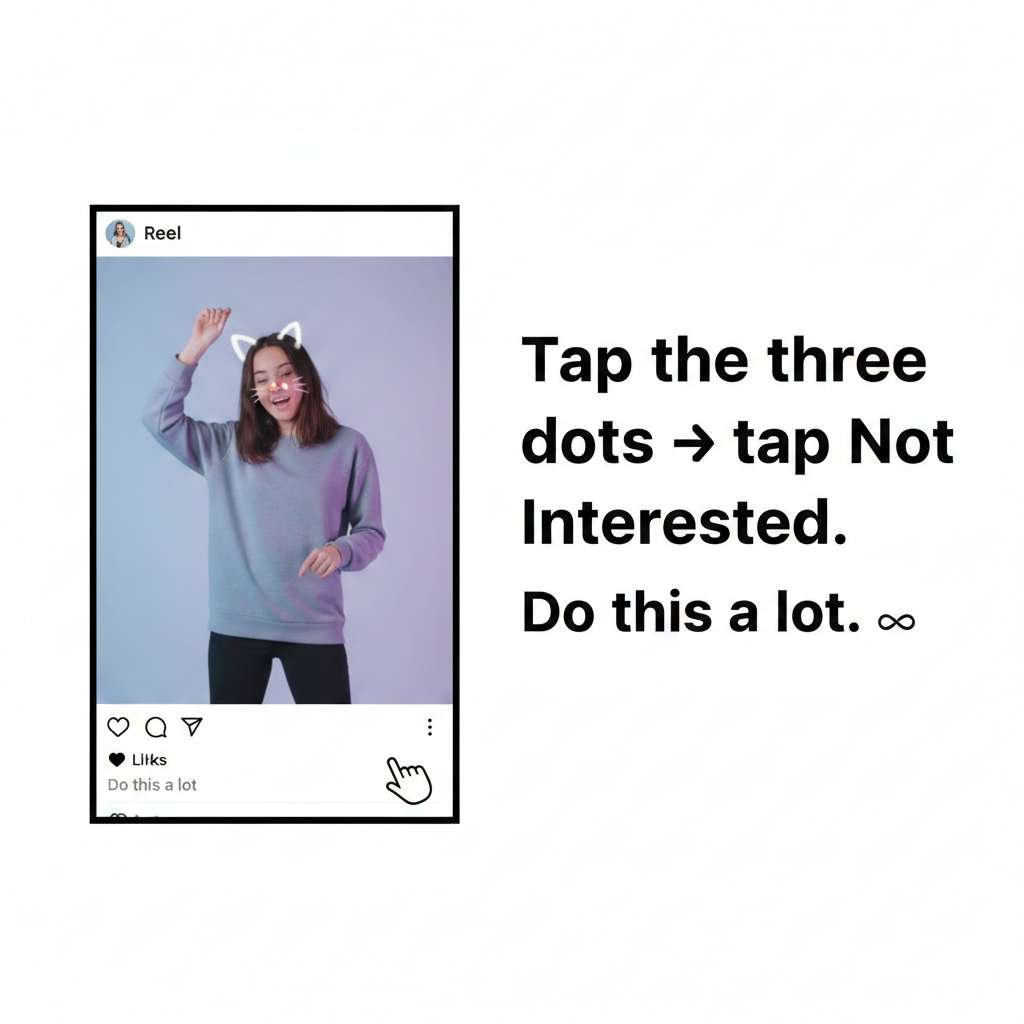
- Want to change suggested Reels on Instagram? Tap the three dots on any Reel → tap Not Interested. Do this a lot.
- Getting weird or uncomfortable content? Go to Settings → Content Preferences → Sensitive Content Control → pick Less.
- Want to reset suggested Reels on Instagram? Use Reset Suggested Content — it clears everything and starts over.
- Want to delete suggested Reels on Instagram topics? Use the new Your Algorithm tool — you can pick and remove topics you like or hate.
- Want more of something? Like, save, and rewatch Reels you enjoy — Instagram will show you more.
Why this matters: Instagram suggested Reels are driven by signals like what you watch, like, save, and search for.
You can’t fully rewrite the Instagram Reels algorithm overnight, but you can steer it – and in 2025–2026, Instagram added tools (Reset + topic tuning) that make controlling suggested Reels easier than before.
7 Methods to Change Suggested Reels on Instagram (Step-by-Step)
Here are all 7 methods — from the fastest to the most powerful. Whether you want to remove suggested Reels on Instagram, get rid of suggested Reels on Instagram for good, or simply change suggested Reels on Instagram to better match your taste — one of these methods will work for you.
Method 1 — Tap “Not Interested” (The Fastest Fix)
This is the quickest thing you can do right now.
Every time you see a Reel you don’t like — tell Instagram!
How to do it:
- Find a Reel you don’t like
- Tap the three dots (…) on the right side of the Reel
- Tap “Not Interested”
- Instagram will ask why — pick a reason (this makes it work even better!)
Reasons you can pick:
- I see too many posts like this
- This topic doesn’t interest me
- This post made me uncomfortable
- Don’t suggest posts from this account
- Don’t suggest posts with certain words
Why picking a reason helps: The more information you give Instagram, the faster it learns. Always pick a reason if you can.
Real example: You keep seeing gym workout videos and you hate them. Tap three dots → Not Interested → “This topic doesn’t interest me.” Do this for 10 gym videos over a few days. They’ll almost completely disappear from your feed.
Tip: Use “Not Interested” at least 10–20 times over 2–3 days. The more you do it, the faster your feed changes.
Method 2 — Like and Engage With What You DO Want
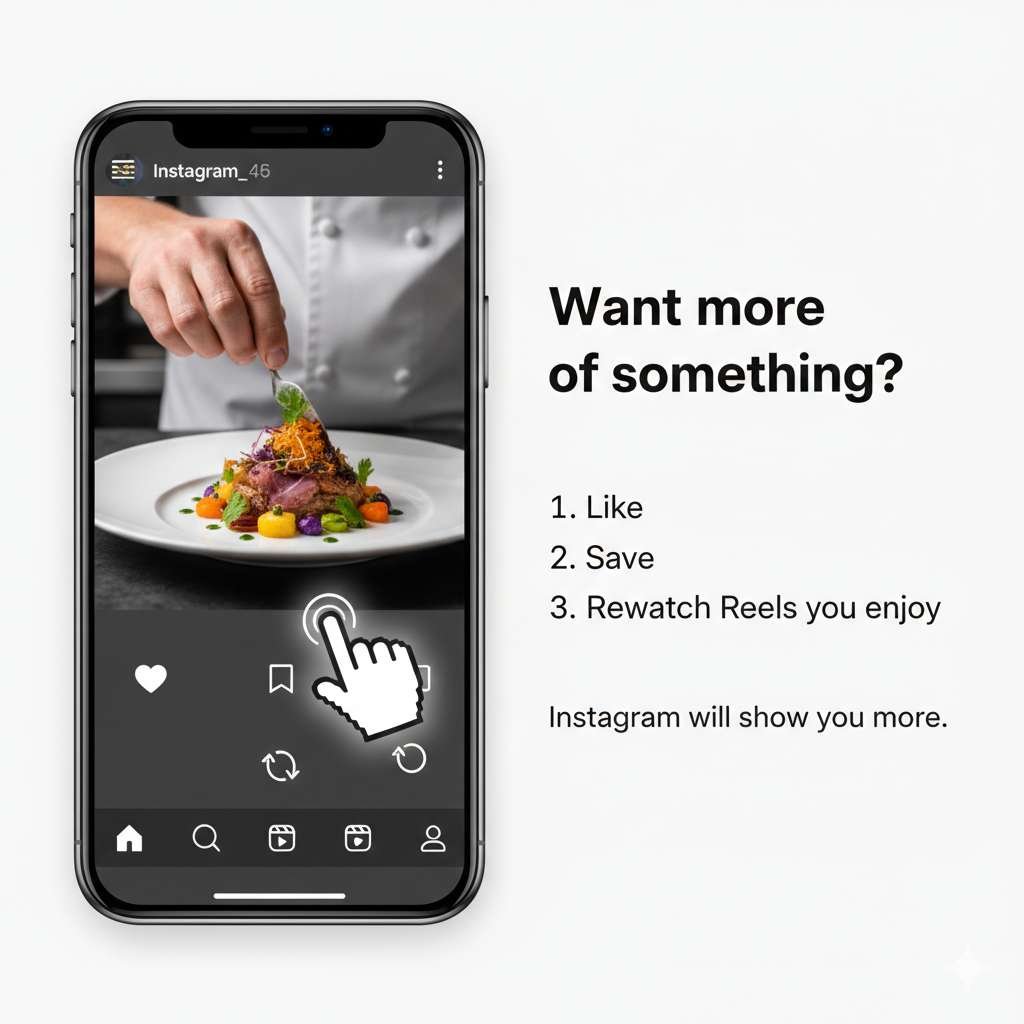
Here’s something important to understand:
Instagram isn’t just learning what you don’t want. It’s also learning what you do want.
So the more you interact with Reels you enjoy — the more Instagram shows you similar ones.
Do these things with Reels you like:
- Like them (tap the heart)
- Save them (tap the bookmark icon)
- Comment on them (even just “🔥” works)
- Watch them all the way through — or even rewatch them
- Share them to your Stories or DMs
- Follow the creator if you really enjoy their content
Why rewatching matters: Watch time is Instagram’s biggest signal. If you rewatch a video — Instagram thinks you loved it and shows you way more like it.
Real example: You want to see more cooking videos. Find 5–10 cooking Reels. Like them, save them, watch them fully, maybe follow the creators. Within 24 hours, your Reels feed will start filling up with food and cooking content.
Tip: Binge-watch 5–10 Reels in your favorite topic in one sitting. This sends a very strong signal to Instagram.
Method 3 — Change Sensitive Content Settings (Filter Whole Categories)
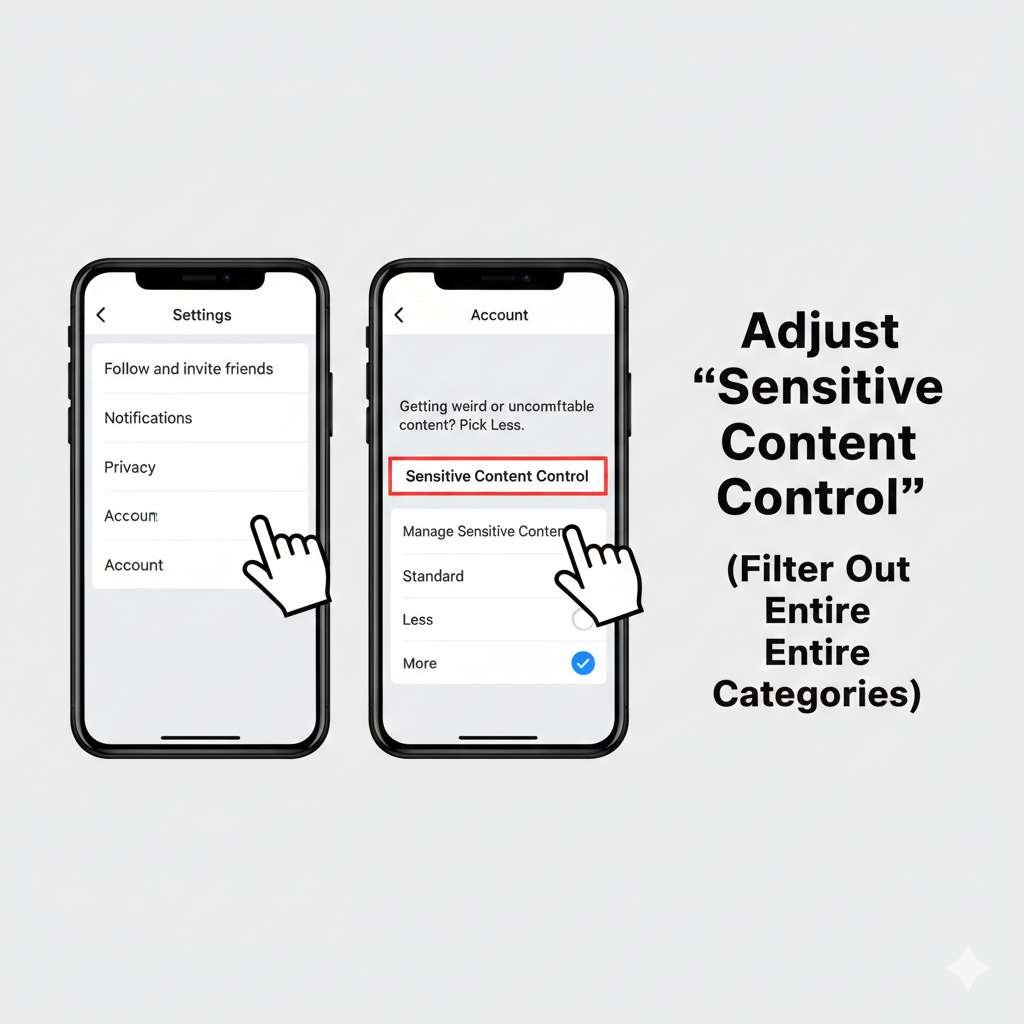
Sometimes your Reels feel uncomfortable or inappropriate. Maybe you’re seeing adult content, political stuff, or videos that just feel wrong.
You can filter all of that out at once with this setting.
How to change Sensitive Content settings:
- Go to your Profile
- Tap the three lines (☰) menu
- Tap Settings & Privacy
- Tap Content Preferences
- Tap Sensitive Content Control
- Choose your level:
| Option | What It Does |
| Less | Cleanest feed — filters out all uncomfortable content |
| Standard | Instagram’s default — some filtering |
| More | Shows more adult content (only for users 18+) |
Also in this menu: You can control how much political content you see. If politics Reels annoy you, turn that down too.
Tip: Set it to “Less” for the cleanest, most comfortable Reels experience.
Method 4 — Reset Suggested Content (Fresh Start)
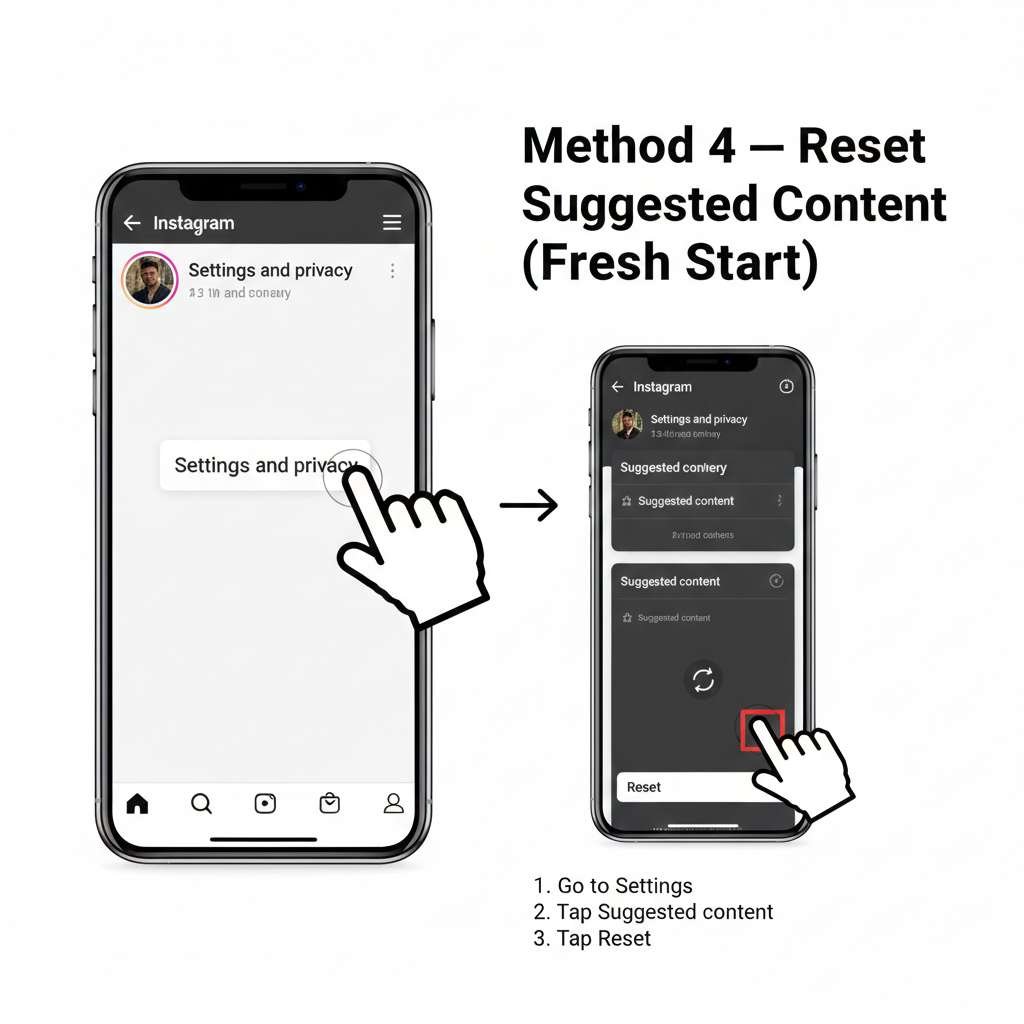
Already explained in detail above! Here’s the quick version:
Quick steps:
- Profile → ☰ Menu
- Settings & Privacy
- Content Preferences
- Reset Suggested Content
- Confirm
After resetting: Don’t scroll randomly. Only watch Reels you actually like for the first 24 hours. This builds a good new feed from scratch.
Method 5 — Use Your Algorithm Tool (Manual Control)
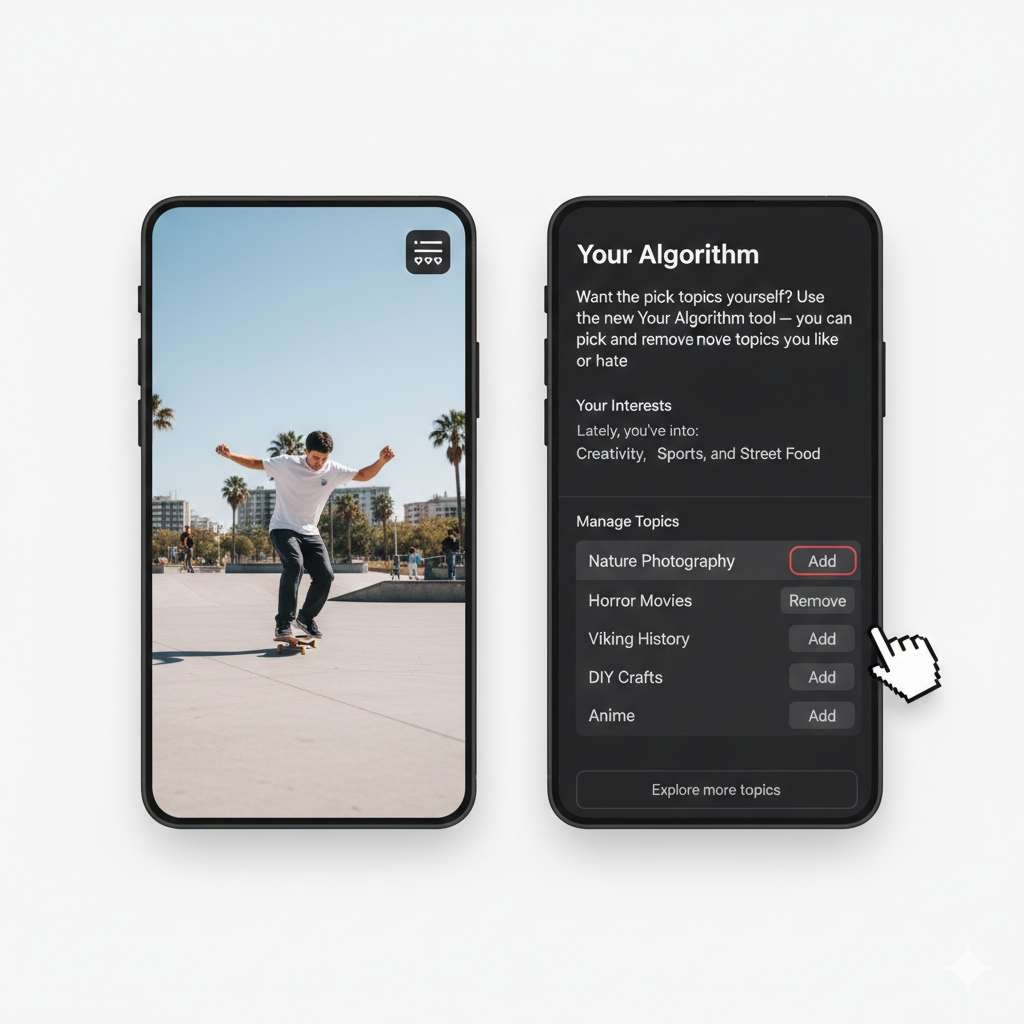
Already explained in detail above! Here’s the quick version:
Quick steps:
- Open Reels tab
- Tap the two-heart icon
- Remove topics you hate
- Add topics you love
This is the most powerful single method to instantly fix what Instagram shows you.
Method 6 — Report or Block Accounts You Keep Seeing
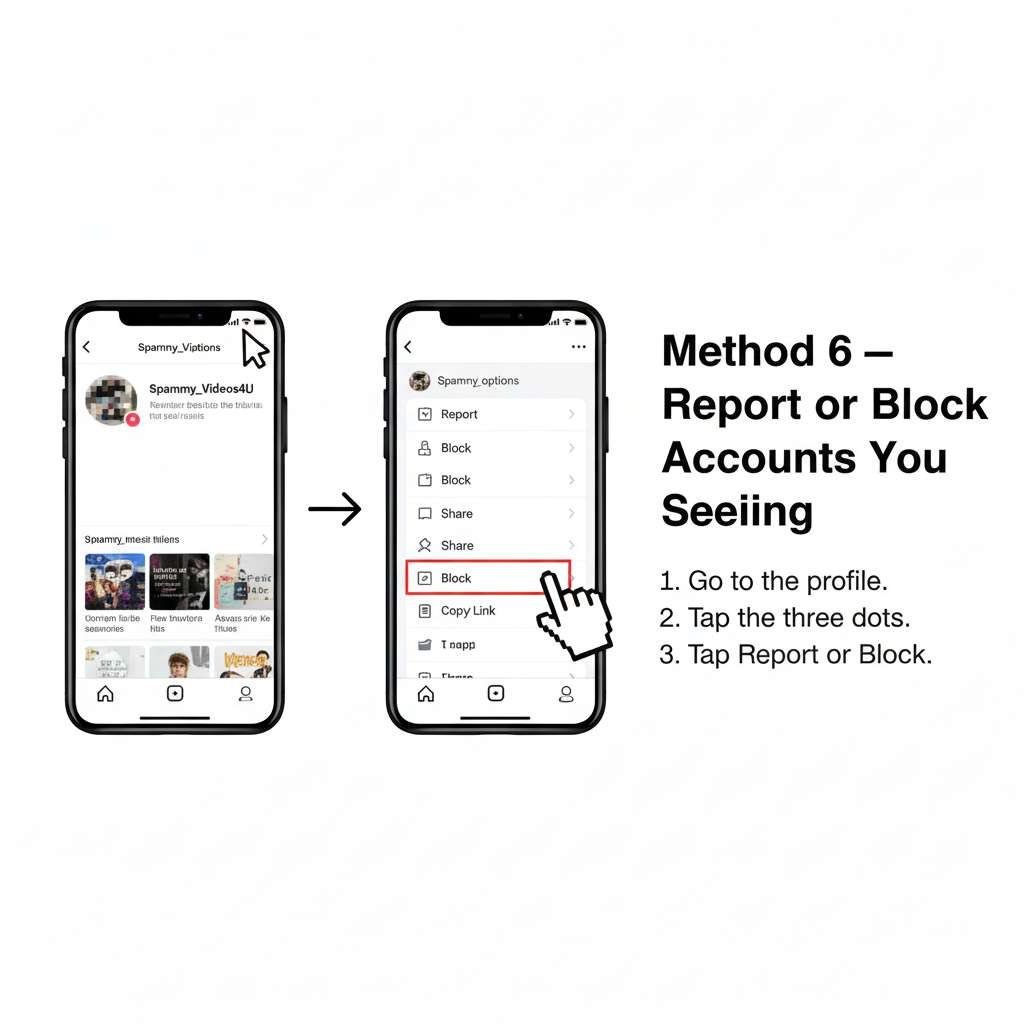
If the same account keeps showing up in your suggested Reels — and you never want to see them again — block or report them.
How to report a Reel:
- Tap the three dots (…) on the Reel
- Tap Report
- Pick the reason:
- It’s spam
- Inappropriate content
- Hate speech
- False information
- Violence
- And more
How to block an account:
- Tap the three dots (…) on the Reel
- Tap Block
- Confirm
Once you block an account, you’ll never see their content again — suggested or otherwise.
Tip: Reporting content that’s truly inappropriate (not just stuff you don’t like) also helps improve Instagram for everyone.
Method 7 — Business & Creator Tip: Match Your Engagement to Your Niche

This one is for people who use Instagram for business, content creation, or building an audience.
If you want your Reels feed to match your work topic — your engagement behavior needs to match your niche too.
Instagram watches what you engage with. If you’re a fitness coach but you spend all your time liking food videos — your feed will fill with food content instead of fitness.
Do this weekly:
- Follow other creators in your niche
- Like and comment on Reels that match your industry
- Search for hashtags in your field (like #FitnessCoach or #SmallBusiness)
- Save Reels that are related to your business topic
- Check Creator Insights to see what Instagram is showing about you
Tip: Think of your Instagram behavior like a job. If your job is fitness — your Instagram activity should mostly be about fitness. The algorithm will reward you for it.
Read More – Does Instagram Notify When You View A Profile
Quick Definitions: What Suggested Reels Are & Where They Come From
What Are Suggested Reels on Instagram?
Think of Instagram like a really smart TV.
Every time you watch a video, like something, or skip past something, Instagram is watching and learning. Then it tries to guess what videos you want to see next.
Those guessed videos? Those are called suggested Reels on Instagram.
They come from accounts you don’t even follow. Instagram just thinks you’ll enjoy them.Sometimes it gets it right. Sometimes it gets it very, very wrong. That’s why so many people look up how to remove suggested Reels on Instagram or stop suggested Reels on Instagram from cluttering their feed. That’s exactly what this guide is here for.
What Are Suggested Reels on Instagram Based On?
Instagram uses several signals to decide how your suggested Reels are chosen:
- Your watch behavior: how long you watch a Reel, whether you replay it, or swipe away instantly.
- What you like, save, or share: these actions tell Instagram, “Show me more like this.”
- Accounts you follow or interact with: creators, topics, or communities you spend time on influence future suggestions.
- Search history: hashtags, topics, and creators you search for help shape Instagram Reels recommendations.
- Content you hide: using “Not interested” tells Instagram which types of Reels to stop showing.
All of these signals form the basis of how Instagram comes up with suggested Reels, how Reels are suggested, and what suggested Reels on Instagram are based on.
Where Do Suggested Reels Come From on Instagram?
Suggested Reels can show up in multiple places:
- The Reels tab (main source of Instagram Reel suggestions)
- The Explore page (similar to TikTok’s “For You” recommendations)
- Your Home feed as “Suggested for you” content
- The Search page, often based on topics you engage with
Whenever you see Reels from accounts you don’t follow, that’s your IG suggested Reels at work.
How Instagram Chooses Suggested Reels — The Algorithm Explained (2026 Update)
If you want to change the suggested Reels on Instagram, understand why Instagram suggests the Reels you currently see.
The Reels algorithm isn’t random — it’s a ranking system that predicts what you’re most likely to watch, like, save, or share.
In late 2025 and 2026, Instagram also introduced new tools that reveal exactly how your interests are being interpreted.
Instagram watches everything you do and uses it to pick Reels for you. Here’s what it pays attention to:
| What You Do | What Instagram Thinks |
| Watch a video all the way through | “They loved it! Show more like this.” |
| Skip a video in 2 seconds | “They didn’t like it. Show less like this.” |
| Like or save a video | “Strong yes! Definitely show more.” |
| Comment on a video | “They really care about this topic.” |
| Search for something | “They’re interested in this.” |
| Tap “Not Interested” | “Stop showing stuff like this.” |
| Report or block someone | “Never show this account again.” |
So your feed is basically a mirror of what you do on the app. The good news? You can change what you do — and your feed will follow.
How Does Instagram Choose Suggested Reels? (Simple Breakdown)
Instagram analyzes your behavior and assigns “interest signals” that directly influence your Instagram Reels suggestions. Here’s what matters most:
1. Watch Time — The #1 Ranking Signal
If you watch a Reel all the way through, replay it, or pause on it, Instagram assumes you enjoyed it. This single behavior can change your Reels feed faster than anything else.
2. Likes, Saves & Shares
These actions tell Instagram your strong preferences. They heavily influence how the Instagram Reels algorithm works and help Instagram predict what Reels you want to see next.
3. Which Accounts You Follow & Interact With
Following fitness influencers?
Commenting under cooking videos?
Regular DM’ing memes?
Instagram uses every interaction to shape your Instagram reel suggestions.
4. Hashtags, Topics & Search Behavior
When you search or explore certain topics — for example:
- “funny reels”
- “travel reels”
- “DIY crafts”
Instagram uses that to adjust your suggested Reels on the Instagram feed.
5. Your “Negative Signals.”
These tell Instagram what not to show you:
- “Not interested”
- Hide Post
- Report Reel
- Block or Restrict account
These are crucial if you want to stop suggested Reels, remove suggested Reels, or change your suggested Reels on IG.
2024 Update: Reset Suggested Content
Imagine pressing a big red “restart” button on your Reels feed.
That’s exactly what this does. If you’ve been wondering how to reset suggested Reels on Instagram, this is the official Instagram tool built just for that.
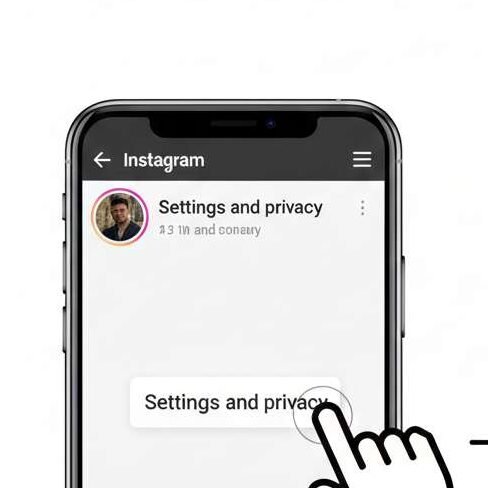
When you use Reset Suggested Content, Instagram forgets everything it thought you liked. Your old watch history, your old interests, all the weird topics it assigned to you — gone.
Then it starts learning about you from scratch based on what you do next.
What it clears:
- Videos you watched before
- Topics Instagram assumed you liked
- Old search-based recommendations
What it does NOT clear:
- Who you follow
- Your likes, saves, and comments
- Ads and sponsored content
It only wipes Instagram’s guesses about you — not your real activity.
Step-by-step: How to Reset Suggested Content
- Open Instagram
- Go to your Profile (tap your picture at the bottom right)
- Tap the three lines (☰) in the top right corner
- Tap Settings & Privacy
- Tap Content Preferences
- Tap Reset Suggested Content
- Tap Confirm
Done! Your feed is now starting over fresh.
Important tip after resetting: Don’t just start scrolling randomly. For the first 24 hours, only watch and like Reels you actually enjoy. This trains your brand-new feed in the right direction fast.
2025 Update: Instagram’s “Your Algorithm” (Major Feature)
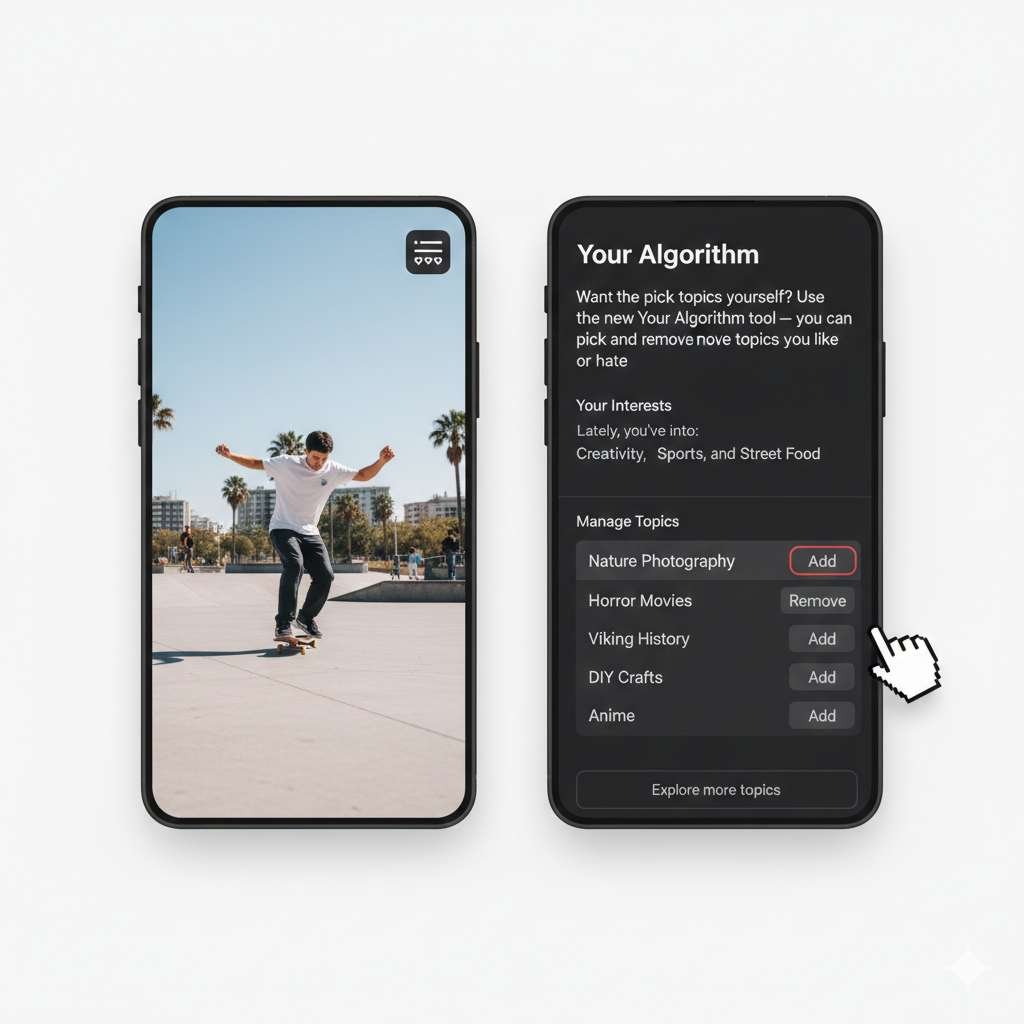
In December 2025, Instagram introduced Your Algorithm, a feature that finally lets users see and edit the interest topics Instagram thinks they like.
How to access it:
- Open the Reels tab
- Tap the two-heart icon (Your Algorithm)
- You’ll see a list of topics Instagram is associated with your behavior
- You can remove topics you don’t want or add topics you prefer
This feature directly influences:
- How Instagram recommends Reels
- What types of Reels appear in your feed
- How quickly can you fix bad or inappropriate suggestions
- How to change your Reels feed without waiting weeks
Example: Let’s say you used to like car videos but now you’re into cooking. Open Your Algorithm, delete “Cars” and “Racing,” and add “Cooking” and “Recipes.” Your Reels will start changing almost immediately.
Tip: Delete 3 to 5 topics you don’t like right away. Just that one action can make a huge difference in your feed.
Reset vs. Your Algorithm — Which One Should You Use?
| What You Want to Do | Best Tool |
| Start your feed completely from zero | Reset Suggested Content |
| Remove specific topics you hate | Your Algorithm |
| Add topics you want to see more of | Your Algorithm |
| Fix a feed that feels totally broken | Use BOTH together |
| Reduce uncomfortable content fast | Reset + Sensitive Content Control |
Best tip: Use both tools together for the fastest results. Reset first to clear the old stuff, then use Your Algorithm to build the new feed you actually want.
Why Your Suggested Reels Might Be “Stuck”
You may wonder:
“Why are my suggested Reels on Instagram not changing?”
This happens because:
- You keep scrolling past content without interacting (Instagram assumes you’re unsure).
- You haven’t used “Not interested” often enough.
- You continue watching Reels you don’t actually want.
- Instagram hasn’t updated your interest signals yet (it can take 24–48 hours).
- You haven’t reset your Reels or edited topics using Your Algorithm.
Don’t worry — the new features make fixing this much easier.
Read More – How To See Who Saved Your Instagram Posts
How These Features Fit Into Your Full Strategy
Using only one tool may not be enough. For best results, combine:
- Reset Suggested Content → clears the old feed
- Your Algorithm → shapes the new feed
- Not Interested → continues refining recommendations
- Engaging with the content you DO want → trains Reels quickly
- Sensitive Content Control → filters sensitive categories
With these tools, you can change nearly everything about your Reels feed – from what you see… to what you no longer see… to what you want Instagram to show next.
Read More – How To See Sent Follow Requests On Instagram
Troubleshooting: Why Your Suggested Reels Aren’t Changing & How to Fix Them
Even after using “Not Interested,” changing your Reels preferences, or adjusting sensitive content settings, your Instagram suggested Reels may still feel stuck, repetitive, inappropriate, or totally off. This troubleshooting guide fixes the most common issues users face.
Issue 1 — “My suggested Reels on Instagram aren’t changing.”
Why this happens
- You’re scrolling but not interacting
- You haven’t used interested enough
- You’re still watching the Reels you dislike (a big signal)
- You follow accounts unrelated to what you want to see
- You haven’t refreshed Instagram’s interest topics
- Instagram needs more time to adjust
How to fix it
- Use Not Interested 10–20 times across 2–3 days
- Remove unwanted topics in Your Algorithm
- Engage with 5–10 Reels from the niche you do want
- Avoid watching Reels you dislike — swipe fast
- Reset suggested content if the feed is truly stuck
Issue 2 — “Why are my suggested Reels all girls / all fitness / all cars?”
This happens when Instagram thinks you have a strong interest in a single category due to:
- Long watch time on similar Reels
- Prior searches for those topics
- Old engagement patterns
- A friend is using your account
- A one-time binge that trapped your feed in a niche
- Suggestive content is getting stronger signals than you realize
How to fix it
- Open Your Algorithm → Remove unwanted categories
- Reset suggested content to clear old patterns
- Use “Not Interested” for repetitive topics
- Search and engage with different topics to rebalance your feed
Tip: Removing a topic in Your Algorithm works faster than anything else.
Issue 3 — “My suggested Reels are inappropriate or uncomfortable.”
This is extremely common and usually tied to:
- High engagement on borderline content (even accidental pausing)
- Instagram misreads your viewing patterns
- A glitch in Reels recommendations
- Device-level watch behavior confusion
How to fix the inappropriate suggested Reels
- Use Sensitive Content Control → Less
- Remove inappropriate topics in Your Algorithm
- Report any Reel that crosses boundaries
- Reset suggestions if the behavior continues
- Avoid pausing on questionable content
Issue 4 — “Reset didn’t work.”
Sometimes the Reset Suggested Content feature doesn’t fully clear older signals.
Why Reset may fail
- You immediately went back to watching random Reels
- Instagram quickly rebuilt interests from your follow list
- You didn’t tune your topics in Your Algorithm
- Your old behaviors reactivated the same patterns
How to fix it
✔ After resetting, avoid watching random Reels for 24 hours
✔ Open Your Algorithm → Remove irrelevant topics
✔ Engage with 3–5 new niches intentionally
✔ If still stuck → Reset again after 48–72 hours
Issue 5 — “I keep seeing Reels from people I don’t follow.”
This is normal — Instagram automatically mixes suggested Reels into your feed.
How to reduce this
✔ Use Not Interested frequently
✔ Limit watch time on unfamiliar creators
✔ Turn Sensitive Content Control to Less
✔ Use the Snooze suggested posts option if available
Issue 6 — “I don’t want to see suggested Reels at all.”
You cannot permanently disable suggested Reels, but you can nearly eliminate them.
How to get as close as possible
✔ Hide every unwanted Reel with Not Interested
✔ Turn Sensitive Content Control → Less
✔ Reset suggestions
✔ Limit Explore + Reels tab time
✔ Follow more accounts you actually care about
✔ Use Your Algorithm to remove irrelevant topics
Result: Your feed becomes 80–90% personalized rather than algorithmic.
Issue 7 — “Why are suggested Reels coming back even after I hide them?”
Because Instagram needs repeated signals to reinforce your preferences.
Fix:
✔ Hide the same category multiple times
✔ Remove it from Your Algorithm
✔ Refresh Reels by interacting with new types of content
✔ Avoid lingering on Reels that contradict your preferences
Issue 8 — Technical Glitches
If the app itself is glitching:
Try this:
- Update Instagram
- Log out & back in
- Clear the app cache
- Restart your phone
- Check for region limitations (Your Algorithm may not be available everywhere yet)
Pro Tip: Combine Methods for Maximum Impact
The fastest way to completely fix your suggested Reels feed is:
- Reset Suggested Content
- Remove bad topics from Your Algorithm
- Add good topics
- Engage with the content you want
- Avoid watching what you don’t want
- Use Not Interested consistently
This combination reshapes your entire Reels experience in 24–72 hours.
Read More – How To Turn Off Vanish Mode On Instagram
Frequently Asked Questions About Suggested Reels on Instagram
This FAQ section is designed to target as many keyword variations as possible naturally. Each answer is short, direct, and optimized for Featured Snippets and “People Also Ask” results.
How do I change my suggested Reels on Instagram?
You can change your suggested Reels by using Not Interested, editing topics inside Your Algorithm, resetting suggested content, and engaging more with Reels you actually enjoy.
These steps teach Instagram’s algorithm what you want and what you don’t want.
How to change the Instagram Reels algorithm?
You can’t rewrite the algorithm, but you can steer it by:
- Resetting suggested content
- Removing or adding topics in Your Algorithm
- Interacting with good Reels, hiding unwanted ones
- Adjusting Sensitive Content Control
This reshapes the algorithm around your preferences.
How do I stop suggested Reels on Instagram?
There’s no permanent “off” switch, but you can drastically reduce them by:
- Tapping Not Interested often
- Turning Sensitive Content Control → Less
- Blocking or reporting unwanted sources
- Resetting suggested Reels
- Avoiding long pauses on suggested content
This reduces unwanted recommendations by 70–90%.
How do I turn off suggested Reels on Instagram completely?
Instagram does not allow users to fully disable suggested Reels. However, using Not Interested, Sensitive Content Control, and Reset Suggested Content can almost eliminate them from your feed.
How do I clear suggested Reels on Instagram?
Use Instagram’s Reset Suggested Content feature:
Profile → Menu → Settings → Content Preferences → Reset Suggested Content
This clears your recommendation history and gives you a fresh start.
Why are my suggested Reels on Instagram not changing?
Because Instagram hasn’t received enough consistent signals from you.
Fix it by:
- Using Not Interested repeatedly
- Removing topics in Your Algorithm
- Stopping engagement with unwanted Reels
- Resetting suggestions
- Watching new types of Reels intentionally
Why are my suggested Reels all girls / all cars / all fitness?
Instagram thinks you’re strongly interested in that category due to past:
- Watch time
- Likes
- Searches
- Saves
- Accidental lingering
Remove the topic in Your Algorithm or reset suggested content to fix this.
How do I remove inappropriate suggested Reels?
- Use Sensitive Content Control → Less
- Report offensive Reels
- Remove related topics in Your Algorithm
- Reset suggestions if the problem continues
How do I get rid of suggested Reels on Instagram?
Use a combination of:
✔ Not Interested
✔ Sensitive Content Control
✔ Reset Suggested Content
✔ Blocking or reporting
✔ Avoiding watch time
You cannot fully delete suggested Reels, but you can dramatically reduce them.
How do I reset suggested Reels on Instagram?
Go to:
Profile → Menu → Settings → Content Preferences → Reset Suggested Content
This clears algorithmic signals instantly.
How does Instagram decide what Reels to suggest?
Instagram uses:
- Your watch time
- Likes & saves
- Comments
- Search behavior
- Accounts you interact with
- Topics in Your Algorithm
- Negative signals (Not Interested, reports, hides)
These signals determine your Instagram Reels recommendations.
What is “Your Algorithm” on Instagram?
It’s a 2025 feature that shows the interesting topics Instagram assigned to you. You can remove topics you don’t like, add new ones, and instantly change your Reels feed.
How do I change the type of Reels I see on Instagram?
Use these 3 steps:
- Remove unwanted topics in Your Algorithm
- Engage with content in the niche you want
- Use Not Interested to hide irrelevant Reels
How do I change my Instagram Reels feed completely?
The fastest way:
- Reset Suggested Content
- Tune topics in Your Algorithm
- Re-engage with your preferred content
- Hide anything unrelated
This can reset your feed in 24–48 hours.
Can I hide or delete suggested Reels on Instagram?
You can’t delete them entirely, but you can hide them using:
- Not Interested
- Sensitive Content Control
- Reset
- Blocking/Reporting
- Topic removal via Your Algorithm
How do I change my preferences in Instagram Reels?
Visit:
Settings → Content Preferences → Reels & Suggested Content Options
Then adjust:
- Sensitive Content
- Reset Suggestions
- Preferences linked to Your Algorithm
How do I fix my suggested Reels on Instagram?
Try this 3-step fix:
- Reset Suggested Content
- Remove unwanted topics in Your Algorithm
- Use Not Interested consistently for 2 days
How do I edit suggested Reels on Instagram?
Open Your Algorithm and remove categories you no longer want. This instantly changes your recommendations.
How do suggested Reels work on Instagram?
They are algorithmically recommended Reels based on what Instagram thinks you enjoy, using your interactions and interest topics.
Why does Instagram keep suggesting content I don’t like?
Because Instagram still has strong signals from your past engagement. Reset + Topic Removal + Not Interested fixes this quickly.