Are you curious about who’s been lurking on your Instagram profile? Have you ever wondered if your secret crushes or online rivals are keeping tabs on your every move? You are casually scrolling through your feed, and you find yourself clicking on a new friend’s profile—or maybe even an ex’s page. Then, that sudden wave of panic hits: Does Instagram notify when you view a profile?
In the world of social media, where almost every tap leaves a digital footprint, it is natural to wonder if your “secret” browsing is actually private.
While Instagram doesn’t explicitly notify you when someone views your profile, there are a few clues and tricks you can use to get a sense of who’s been paying attention.
In this comprehensive guide, we’ll explore the ins and outs of Instagram privacy and delve into the question of whether someone can see how many times you’ve viewed their profile.
We’ll cover everything from the platform’s official stance to the potential risks of using third-party apps.
So, if you’re ready to uncover the truth about Instagram profile views and protect your privacy, keep reading!
Does Instagram Notify You When You View a Profile?
The short answer is no. Instagram does not allow users to see who views their profile, regardless of the type of account you have (personal, business, or creator).
Unlike platforms like LinkedIn or TikTok, which sometimes offer profile view history, Instagram has built its privacy framework to keep profile browsing anonymous
This means you can scroll through someone’s grid, look at their profile picture, and read their bio without the other person ever receiving a notification.
As long as you do not interact with the content—like hitting the “Like” button or leaving a comment—your visit remains your and insta secret.
Some may think why insta does not show that cuz this can be an act of harasment? so Instagram prioritizes this level of privacy to encourage casual browsing and exploration.
They want users to feel comfortable discovering new accounts without the pressure of being monitored.
While there may be rumors or third-party apps claiming to reveal profile views, these claims are generally false and can pose security risks.
Instagram’s privacy settings are designed to keep your viewing activity private, ensuring that you can browse profiles without being detected.

In summary, Instagram does not notify users when they are viewed, and there is no reliable way to track who has been looking at your profile.
Can People Really See You Viewed Their Instagram Profile?
No, Instagram doesn’t allow you to see who views your profile. This is to protect user privacy. Third-party apps claiming to reveal this information are often unreliable and can be risky. Instead, focus on building a strong following through genuine engagement.
When Can People See That You Are Looking At Their Profile?
There are mainly 3 ways that the owner can know who’s looking at their profile:
- Instagram Stories
- Instagram Live
- Accidental Interactions
1. Instagram Stories
Instagram Stories offer a unique way to share fleeting moments with your followers. Unlike regular posts, Stories disappear after 24 hours, making them a less permanent form of content.
One of the benefits of Stories is the ability to see who has viewed them. This feature provides valuable insights into your audience’s engagement and interests.
By analyzing the viewer list, you can identify your most active followers, understand their preferences, and tailor your content accordingly.
To View Your Story’s Viewers:
- Open your story: Tap on your own story on the main feed.
- Swipe up: This will reveal a list of users who have viewed your story.
Key Points:
- Limited Visibility: The viewer list is only available for 24 hours after you post your story.
- Engagement Insights: This feature can help you identify your most active followers and tailor your content accordingly.
- Privacy Considerations: Keep in mind that anyone who views your story can see that you’ve posted it.
In addition to viewing the viewer list, you can also track the overall number of views your Stories receive. This information can help measure the reach and engagement of your content.
Overall, Instagram Stories provide a valuable tool for connecting with your audience and gaining insights into their behavior.
By understanding who views your Stories and how they engage with your content, you can create more effective and engaging posts.
2. Instagram Live
If you join someone’s Live video session, the host (and other viewers) will see a notification that you have entered the room. Your name will remain visible in the active viewer list as long as you are watching.
3. Accidental Interactions
If you are “deep scrolling” and accidentally double-tap a photo or leave a comment, the user will be notified immediately. These are the most common ways people get “caught” viewing a profile they didn’t intend to interact with.
Business Accounts and Analytics: What Can They See?
Many users worry that Professional or Business accounts have “superpowers” that let them see specific profile visitors. This is a common myth.
While Business and Creator accounts have access to Instagram Insights, this tool only provides aggregate data. A business owner can see:
• How many people visited their profile in the last 7 or 30 days (not any specific names or anything).
• The general demographics (age, location, and gender) of their audience.
• How many people reached their content through Reels or Posts.
Crucially, Insights do not reveal specific usernames. Even a major brand cannot see that you specifically looked at their page; they only see that someone did.
Instagram Visibility: A Quick Comparison Table
| Feature | Can they see who viewed? | Notification Sent? |
|---|---|---|
| Profile Grid | No | No |
| Stories | Yes (for 48 hours) | No (User must check list) |
| Reels | No (View count only) | No |
| Feed Posts | No (View count only) | No |
| Instagram Live | Yes (While live) | Yes (Entry notification) |
| Highlights | No (After 48 hours) | No |
Can Someone See How Many Times You Viewed Their Instagram Reel?
Instagram does not allow users to see who has viewed their Reels, or how many times a specific user has watched a Reel.
However, Reel creators can see the total number of views their Reels have received. This means that while you can watch a Reel multiple times without being detected, the Reel’s owner will only see the cumulative view count.

This privacy measure helps to protect users from unwanted attention and stalking. It also allows viewers to enjoy Reels without worrying about being tracked or judged.
In summary, while you can watch Instagram Reels anonymously, the Reel's owner cannot see who has viewed their content individually.
Can Someone See How Many Times You Viewed Their Instagram Highlights?
Similar to Instagram Reels, Instagram does not allow users to see who has viewed their Highlights, or how many times a specific user has watched a Highlight. Only the total number of views for a Highlight is visible to the creator.
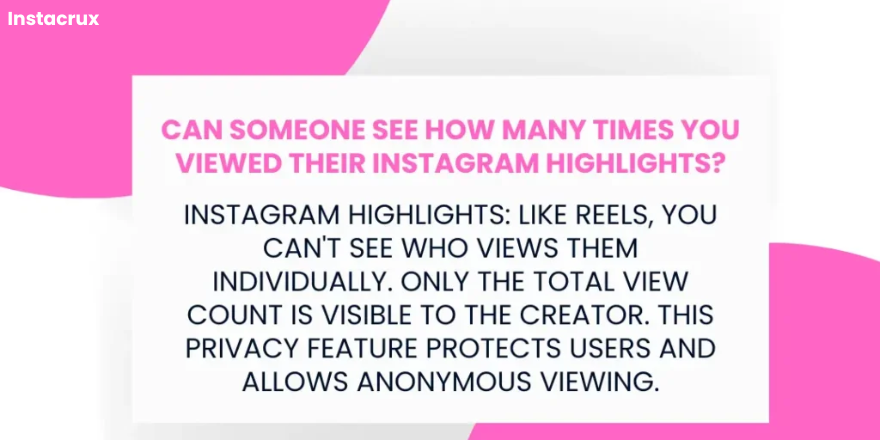
This privacy feature helps to protect users from unwanted attention and stalking. It also allows viewers to enjoy Highlights without worrying about being tracked or judged.
In summary, while you can watch Instagram Highlights anonymously, the Highlight's owner cannot see who has viewed their content individually.
Can Someone See That I Viewed Their Instagram Posts If We Are Not Friends?
If you have a public Instagram account, anyone can view your posts, regardless of whether they follow you. This means that even if you don’t follow someone, they can still see your content.
However, they cannot see if you have viewed their posts unless you interact with them in some way, such as liking or commenting on their content.
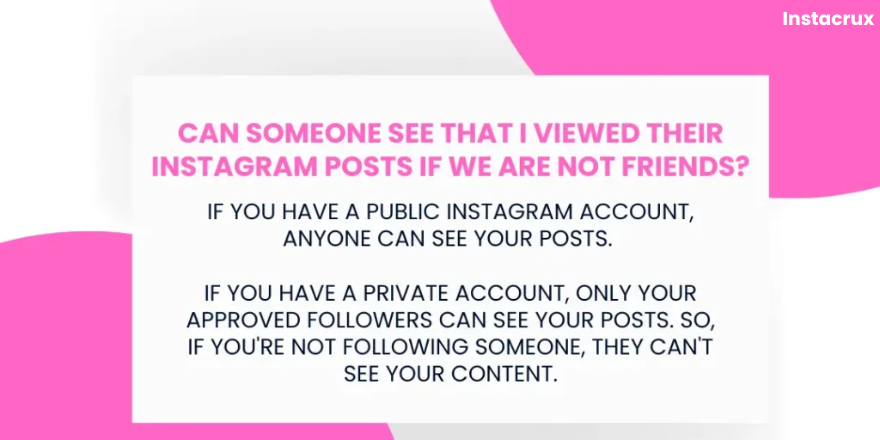
If you have a private Instagram account, only your approved followers can view your posts. This means that if you’re not following someone, they cannot see your content, even if they have a public account.
In summary, whether or not someone can see that you viewed their Instagram posts depends on their account privacy settings and whether you are following them.
If you have a public account, anyone can view your posts, but they cannot see if you have viewed theirs. If you have a private account, only your approved followers can see your posts.
If You Want To Know What Is The Dotted Circle Mean On Instagram. Then Click Here To Know About It.
Third-Party Apps: A Word of Caution
If you search the web for “how to see who viewed my Instagram,” you will find dozens of apps promising to give you a secret list of “stalkers.”
While there may be third-party apps that claim to reveal who has viewed your Instagram profile, it’s important to be cautious about using these tools.
These apps often violate Instagram’s terms of service and can pose security risks.
Here are some reasons why you should avoid using third-party apps to track profile views:
- Unreliability: These apps often provide inaccurate or misleading information.
- Security Risks: Using these apps can compromise your account security, as they may collect your personal information or even attempt to gain access to your account.
- Privacy Concerns: Instagram’s privacy policy prohibits the use of third-party apps to track profile views. Using these apps can violate Instagram’s terms of service and lead to account restrictions or suspension.
Instead of relying on unreliable third-party apps, it’s best to stick to Instagram’s built-in features and privacy settings.
By following Instagram’s guidelines, you can protect your privacy and avoid unnecessary risks.
Tips for Protecting Your Profile
If you are worried about who might be looking at your profile, Instagram provides several built-in tools to help you stay in control.
- Regularly review and update your privacy settings: Instagram provides various options to control who can see your content and interact with you. Take the time to review your privacy settings regularly and make sure they align with your preferences.
- Be cautious with third-party apps: Avoid granting access to unauthorized apps or services that claim to reveal profile view information. These apps can pose security risks and violate Instagram’s terms of service.
- Switch to a Private Account: This is the most effective method. Once private, only people you approve as followers can see your posts, stories, and follower list.
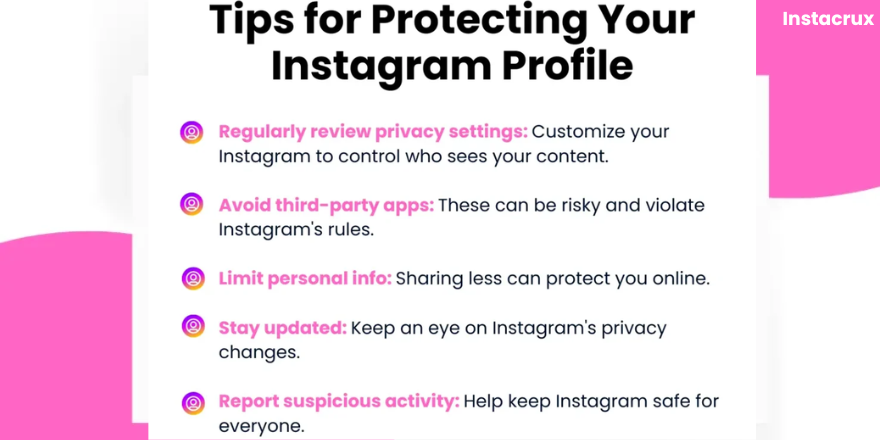
- Limit public information: Consider the content you share on your profile and opt for discretion when disclosing personal details. Sharing too much personal information can make you more vulnerable to online harassment or identity theft.
- Stay informed: Stay abreast of updates to Instagram’s privacy policies and security protocols to mitigate potential risks. Instagram may introduce new features or changes that affect privacy settings, so it’s important to stay informed.
- Report suspicious activity: If you encounter any suspicious activity or third-party apps claiming to reveal profile views, report it to Instagram. This helps protect the platform’s community and may lead to action against the offending accounts.
By following these tips, you can help protect your Instagram profile and maintain your privacy online. Remember, it’s always better to be cautious and prioritize your security.
Troubleshooting Issues Related To Instagram
If you’re experiencing issues with Instagram’s privacy features or other functions, here are some troubleshooting steps you can try:
- Check Instagram’s Help Center: Instagram provides comprehensive troubleshooting guides and FAQs on their Help Center. You can search for specific issues or browse the available topics to find solutions.
- Clear your app’s cache and data: Clearing your app’s cache and data can sometimes resolve issues related to privacy settings or other functions. To do this, go to your device’s settings, find the Instagram app, and select “Clear Cache” and “Clear Data.”
- Update the Instagram app: Make sure you’re using the latest version of the Instagram app. Outdated versions may contain bugs or security vulnerabilities that can affect privacy settings.
- Restart your device: Sometimes, restarting your device can help resolve temporary glitches or software issues.
- Contact Instagram’s support team: If you’re still experiencing problems after trying the above steps, you can contact Instagram’s support team for assistance. They can provide more specific troubleshooting advice or help you resolve any issues you’re facing.
By following these troubleshooting steps, you can hopefully resolve any issues you’re encountering with Instagram’s privacy features or other functions.
Common Mistakes to Avoid
• Watching Stories Anonymously: Some people try to use alternate accounts to watch stories without being detected. While this works, remember that the “view” still counts toward the user’s total.
• Trusting “Viewer” Websites: Even web-based “anonymous viewers” can be unreliable or track your own IP address.
• Ignoring Highlights: Many people forget that even though Highlights are permanent, they can still see who watches them for the first 48 hours.
A Recap of Instagram View Privacy
In summary, Instagram prioritizes user privacy and does not allow users to see who has viewed their profile, stories, reels, or highlights.
While you can see the total number of views for your content, individual viewer information is not available.
Key points to remember:
- No profile view tracking: Instagram does not track or reveal who has viewed your profile.
- Story and Reel views: You can see the total number of views for your Stories and Reels, but not individual viewers.
- Highlight views: Similar to Stories and Reels, you can only see the total number of views for your Highlights.
- Third-party apps: Avoid using third-party apps that claim to reveal profile views, as they can be unreliable and pose security risks.
- Privacy settings: Use Instagram’s built-in privacy settings to control who can see your content and interact with you.
By understanding these key points, you can navigate Instagram with confidence and protect your privacy.
Conclusion
In conclusion, Instagram prioritizes user privacy and does not allow users to see who has viewed their profile, stories, reels, or highlights.
While you cannot track individual profile views, you can still protect your privacy by using Instagram’s built-in settings and avoiding third-party apps that claim to reveal viewer information.
By understanding Instagram’s privacy features and taking proactive steps to protect your account, you can enjoy using the platform without worrying about being tracked or stalked.
FAQs: Instagram Profile Views
Q: Does Instagram notify you when someone looks at your profile?
A: No, Instagram does not notify users when their profiles are viewed. This is to protect user privacy and prevent stalking or harassment.
Q: How can I know who viewed my Instagram profile?
A: Instagram does not provide a way to see who has viewed your profile. Any third-party apps claiming to offer this information are likely unreliable and can pose security risks.
Q: Can someone see that I viewed their Instagram if we are not friends?
A: If you have a public Instagram account, anyone can view your posts, regardless of whether they follow you. However, they cannot see if you have viewed their posts unless you interact with them in some way, such as liking or commenting on their content. If you have a private account, only your approved followers can view your posts.
Q: Can someone see if I screenshot their Instagram post or story?
A: Instagram does not notify users when someone takes a screenshot of their posts or stories. However, it’s important to be respectful of others’ content and avoid taking screenshots without permission.
Q: How can I tell if someone has blocked me on Instagram?
A: If someone has blocked you on Instagram, you will no longer be able to see their profile, posts, or stories. You will also not be able to follow them or send them direct messages. If you believe someone has blocked you, try searching for their username. If you cannot find their profile, it’s possible they have blocked you.
Q: Are there any reliable third-party apps that can tell me who viewed my Instagram profile?
A: No, there are no reliable third-party apps that can tell you who viewed your Instagram profile. These apps often violate Instagram’s terms of service and can pose security risks. It’s best to avoid using these apps and rely on Instagram’s built-in privacy settings.
Can someone see if I look at their Instagram profile picture?
No. You can tap on and view someone’s profile picture anonymously; no notification is sent.
If I search for someone on Instagram, will they know?
No. Your search history is private to you and is not shared with the accounts you search for.